Profile Change Requests
Members can propose edits to a candidate's profile, but nothing is applied until the candidate approves it. A profile change request is how those proposed edits are tracked from submission to the candidate's decision.
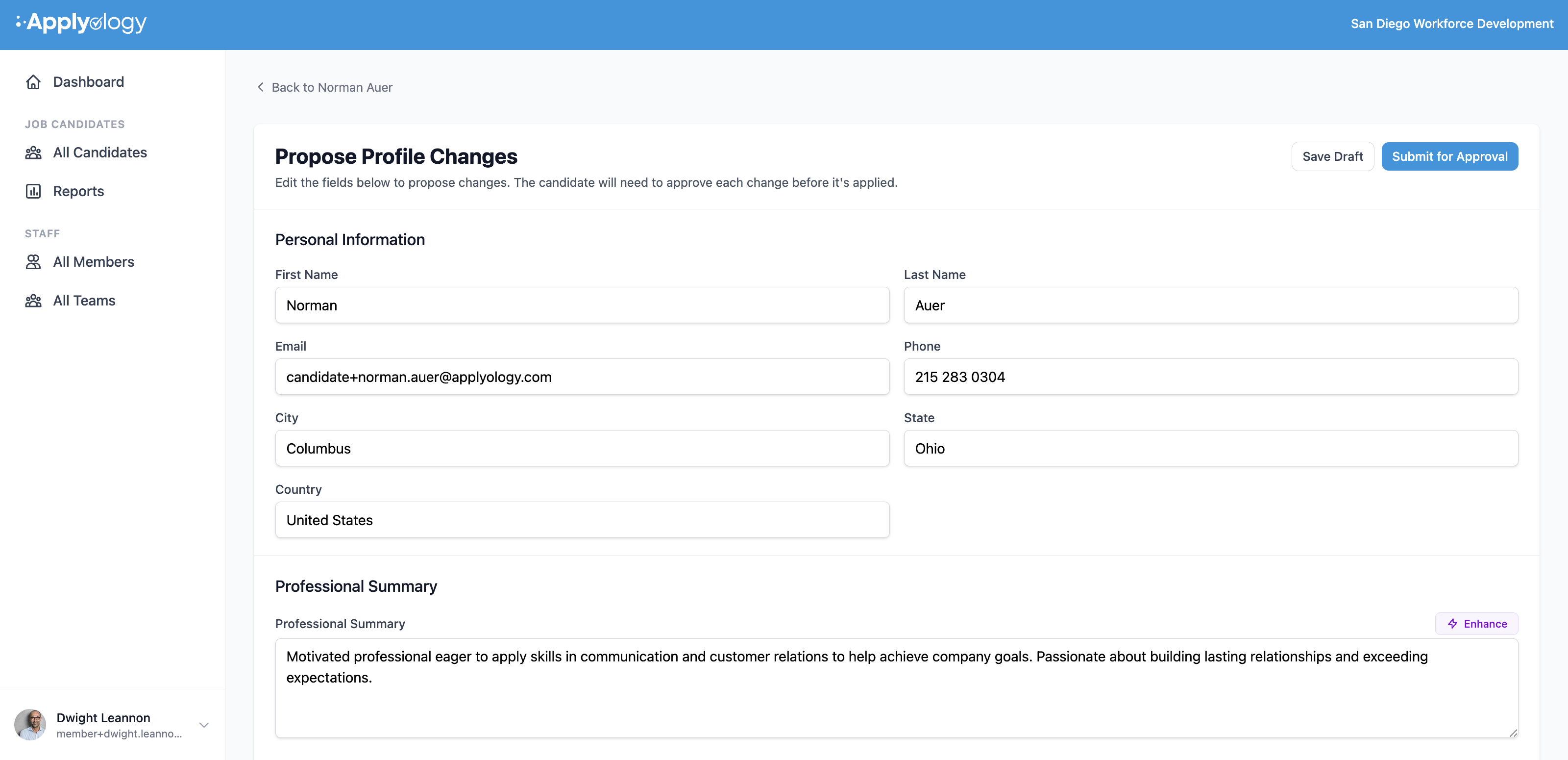
Proposing changes
From a candidate's profile, members with the Propose profile/resume changes permission can suggest edits two ways:
- Edit fields directly with Propose Changes.
- Upload a resume on the candidate's behalf - the extracted data becomes a draft change request.
Both are described in Candidates. Each proposed change records the field's current value alongside your proposed value.
Proposing changes depends on the access you were granted when you were invited (or granted later). Owners always have it; a Standard member needs the Propose profile/resume changes permission - through a team role or an org-wide grant. See Member roles and advanced permissions.
Awaiting the candidate's approval
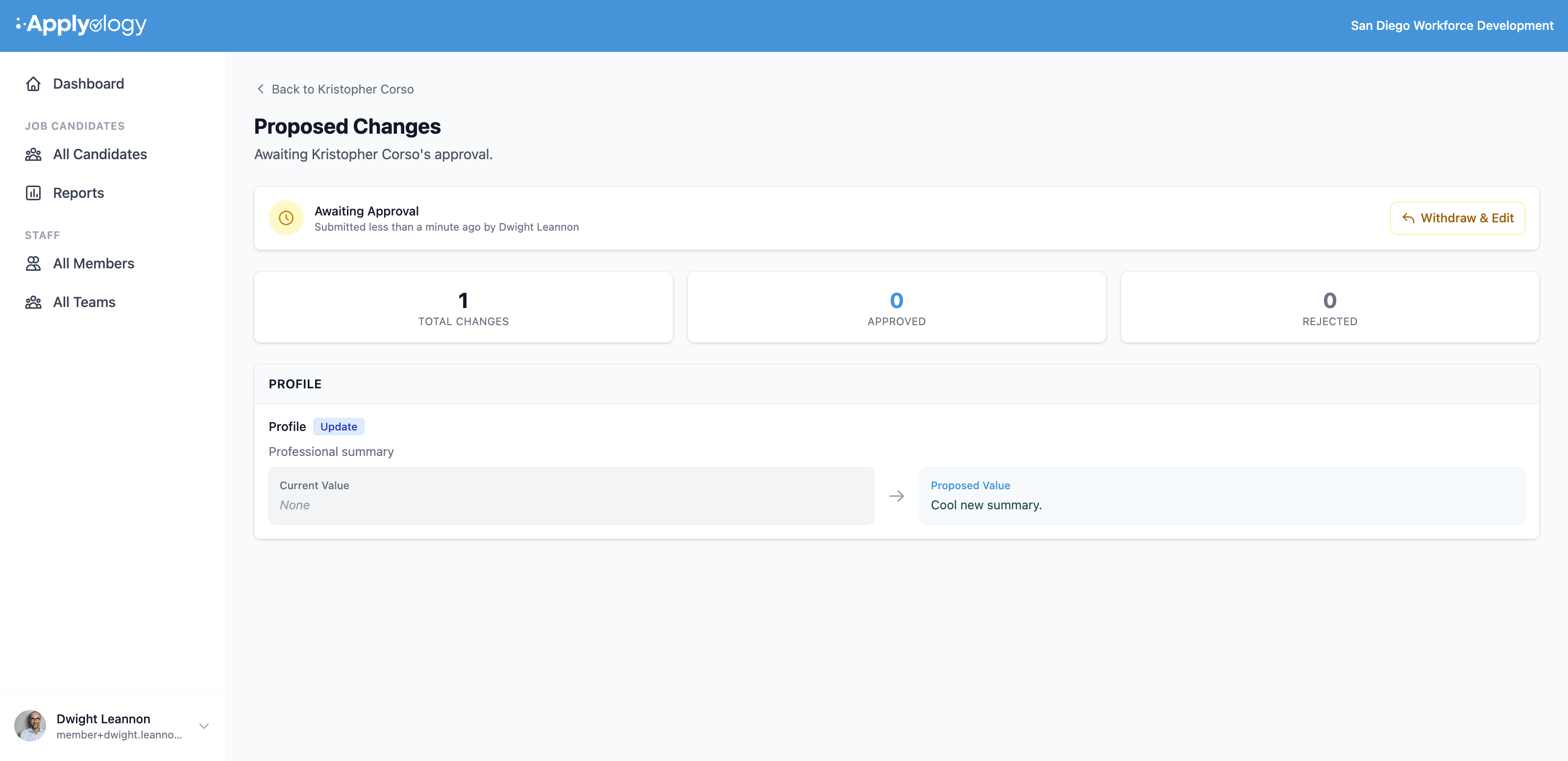
Once you submit, the request is Awaiting Approval. Applyology emails the candidate and shows them a review prompt on their dashboard; you can't apply the changes yourself.
The Proposed Changes page shows who submitted it and when, a count of Total Changes / Approved / Rejected, and each proposed change. If you need to revise before the candidate acts, use Withdraw & Edit to pull the request back.
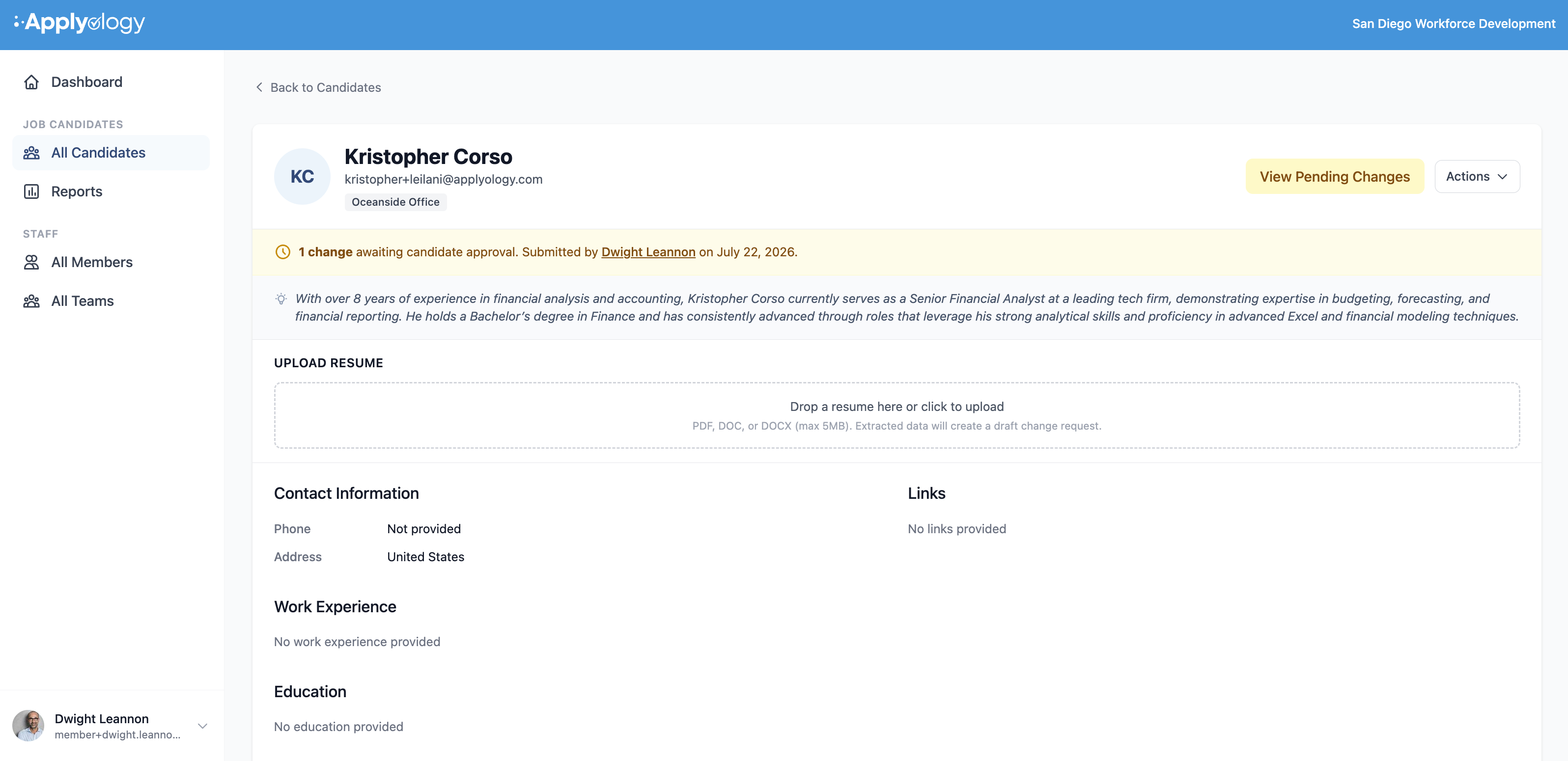
The candidate's profile also flags the pending request at the top - "1 change awaiting candidate approval" with who submitted it and when - and a View Pending Changes button so any member with access can see what's outstanding.
After the candidate decides
The candidate reviews each change and approves or rejects it (see Profile Change Requests on the candidate side). Approved changes are applied to their profile; rejected ones are discarded. Until they decide, your proposed values are not live.