Saved Jobs
The Saved Jobs page - "Jobs you've saved for later review." - holds every role you saved from Job Listings. If you haven't saved anything yet, you'll see No saved jobs yet with a prompt to start saving roles you're interested in.
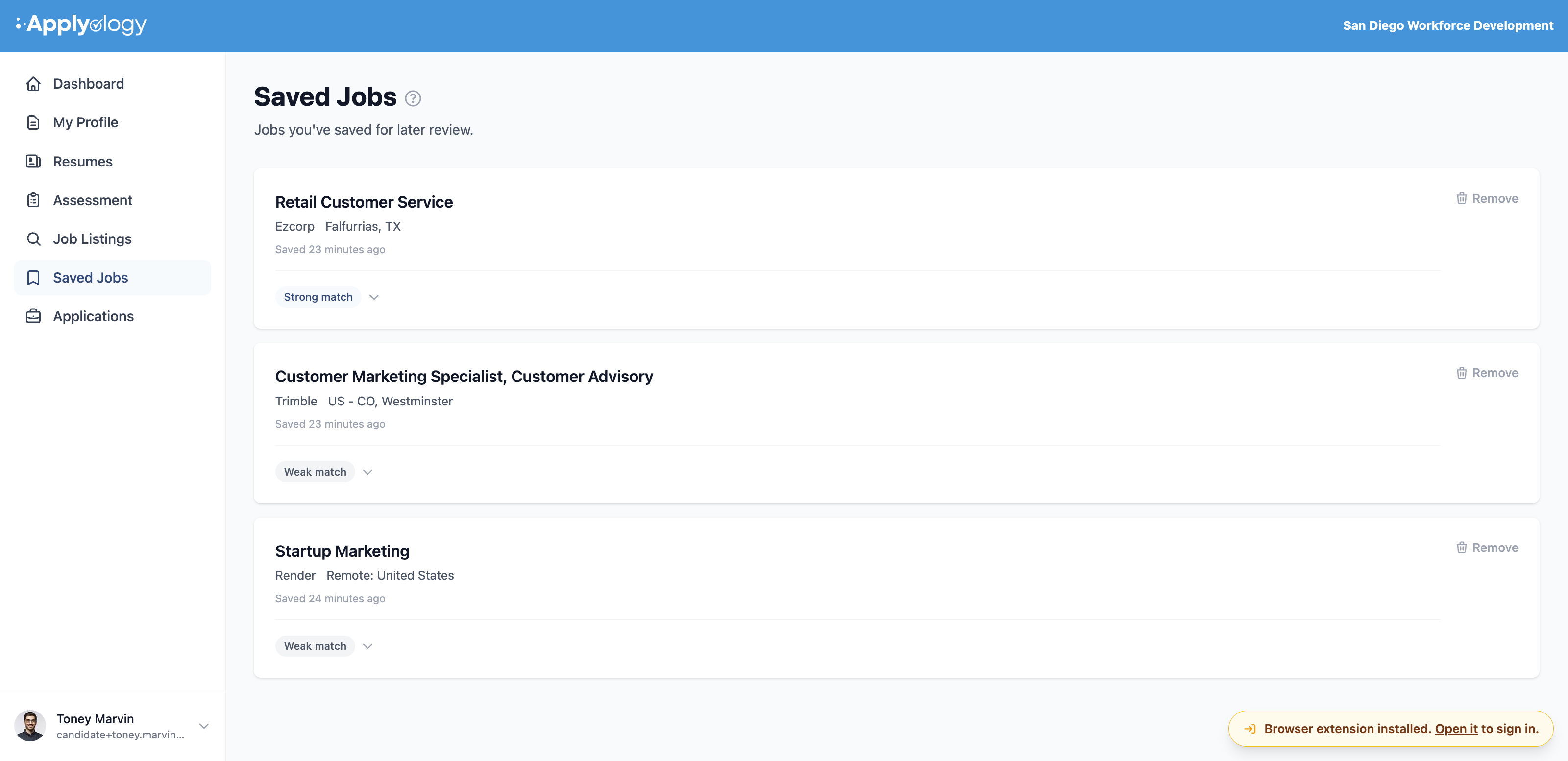
What each saved job shows
- Job title - select it to open the full job page, where you can apply with the extension
- Company, location, and salary range (when available), and when it was saved
- A match rating badge (Strong match, Moderate match, or Weak match) - select the badge to expand a one-line summary of how you fit the role, with a breakdown of your strengths and gaps
Remove a saved job
Remove any role from the Saved Jobs page and it's deleted immediately (Job removed from saved list.). You can also remove a saved job from the extension's Saved Jobs tab.
Open a saved job in the extension
Your saved jobs also appear in the extension's Saved Jobs tab, so you can jump straight into applying. Tap one to open the posting, then Start application to capture the form and autofill it from your profile. See Saved Jobs in the extension and Apply to Jobs.