Applications
The Applications page lets you "Track your job applications and their status." Applications are created when you start one from the browser extension; this page is where you follow them and review their answers.
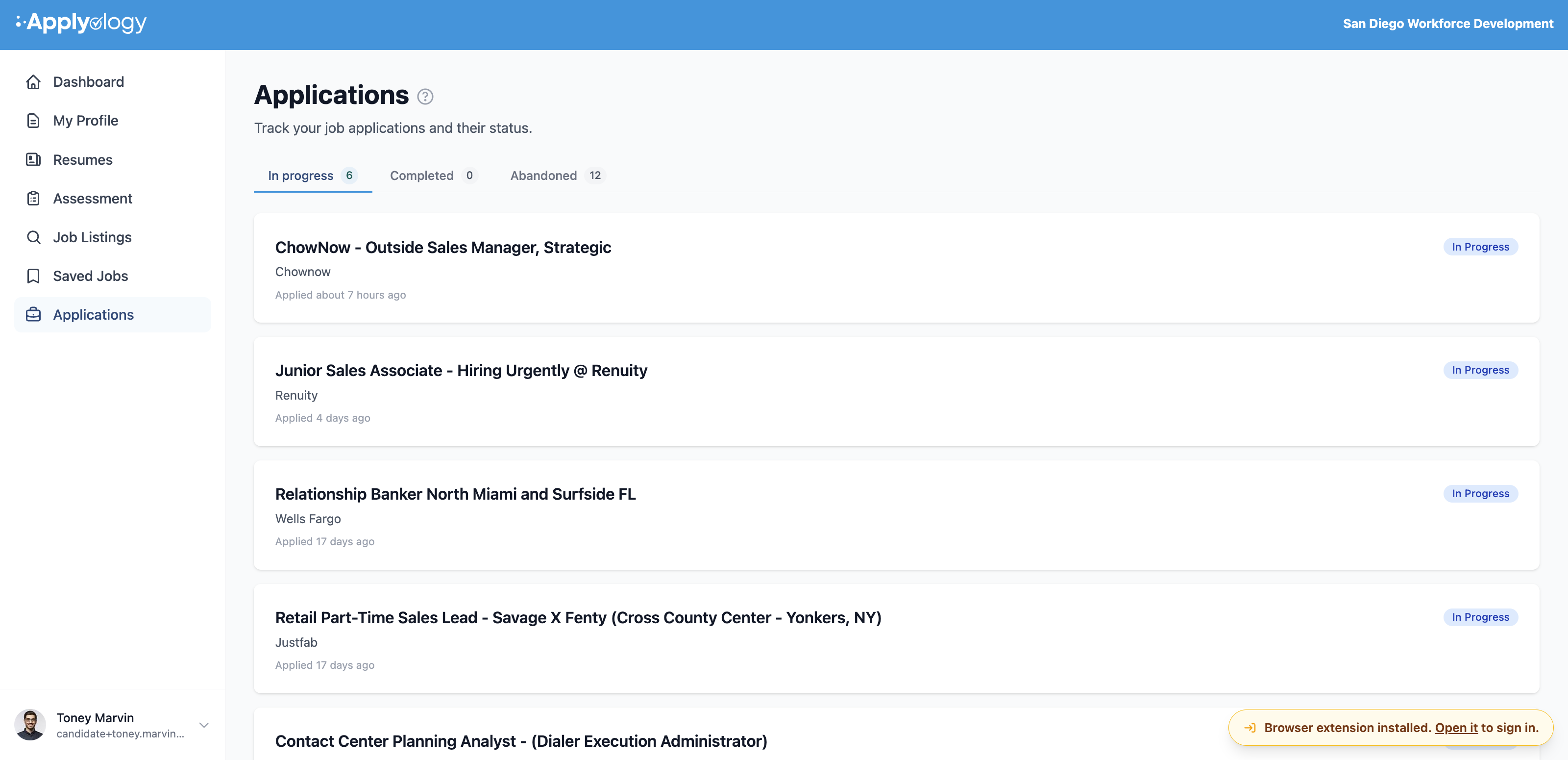
Filter by status
Applications are grouped into three tabs, each with a count:
- In progress - applications you've started but not submitted (including ones still being analyzed)
- Completed - applications you've marked complete
- Abandoned - applications you gave up on
Each row shows the application title, the employer (or the site's domain), when you applied, and a status badge - Analyzing, In Progress, Completed, or Abandoned. If a tab is empty, you'll see "No … applications" / "Applications in this state will appear here."
Application detail
Open an application to see its full record: the title, employer, status, when it started, and - when available - an Open application URL ↗ link to the posting.
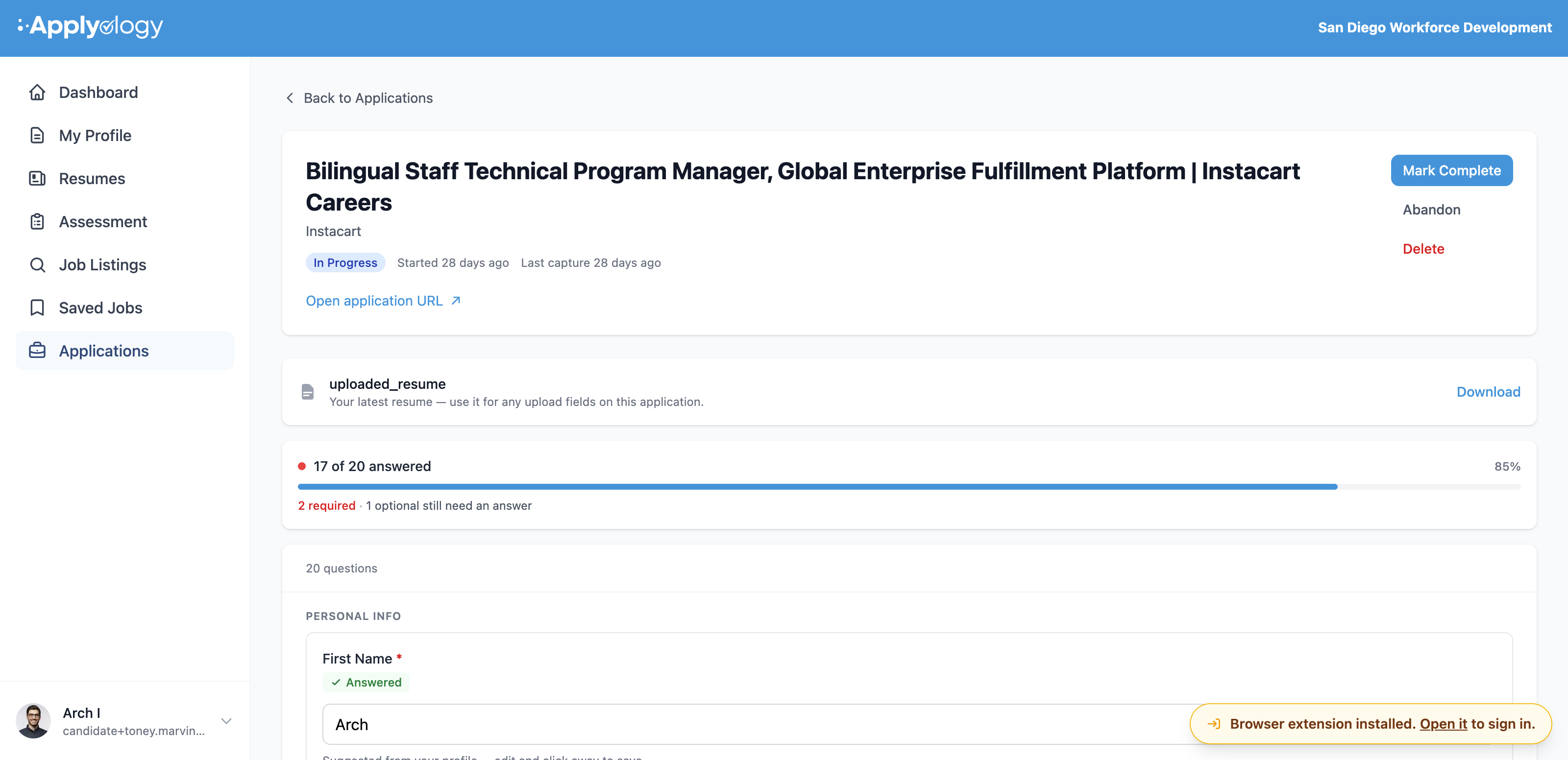
Manage status
From the top of the detail page you can:
- Mark Complete - record the application as submitted
- Abandon - set it aside (you'll be asked to confirm)
- Delete - remove the application and all its captured questions (you'll be asked to confirm)
Completed and abandoned applications are read-only - "Its answers can no longer be changed."
Review captured answers
Every field the extension captured is listed, grouped by page and section. Each question shows its label (with * for required) and a status chip - Answered, Required, or Optional - with an editable input matching the field type. A progress bar tracks how many are answered (for example "32 of 46 answered" or "All 18 answered - ready to autofill and submit").
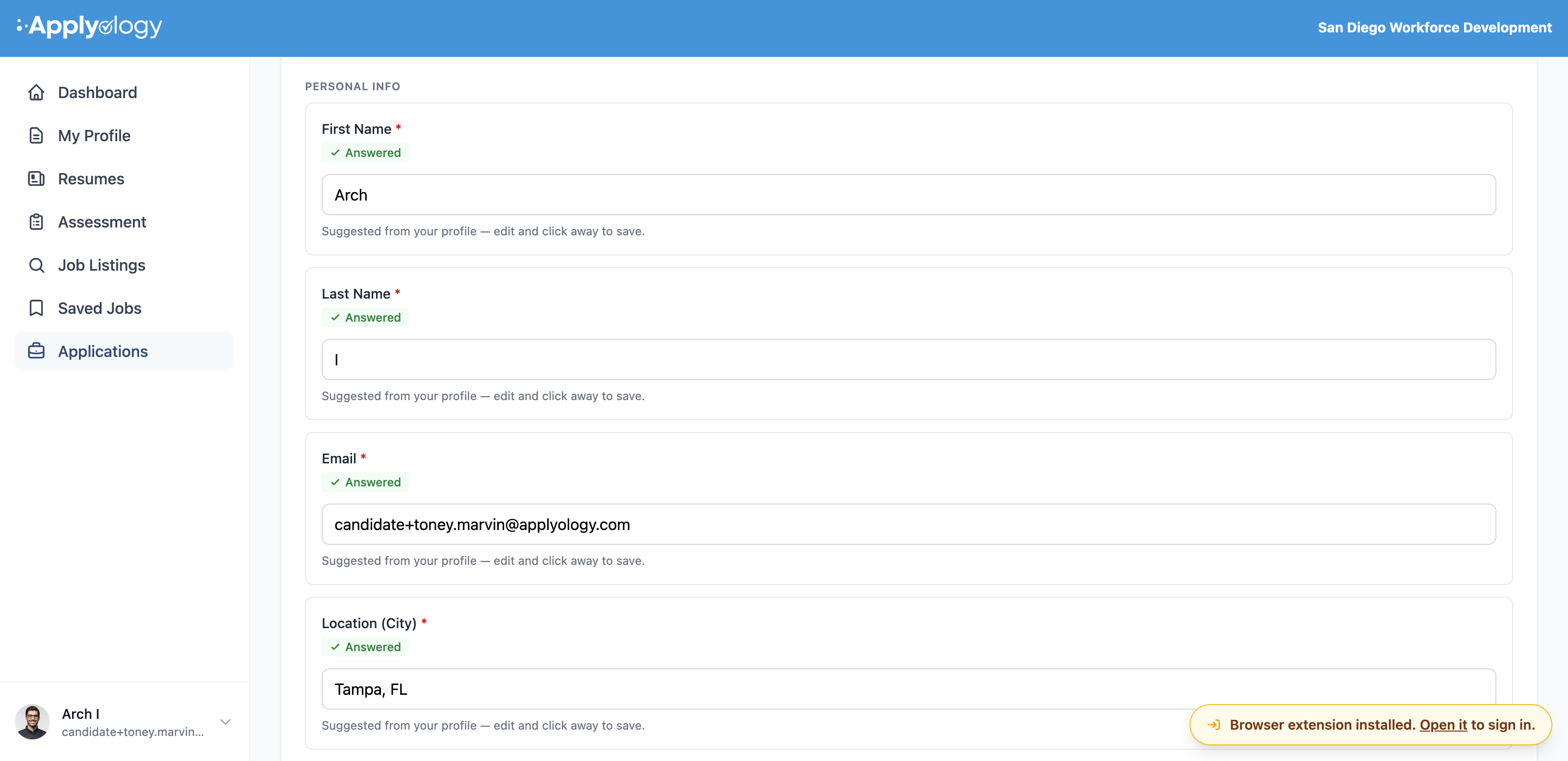
- Edits save automatically - "Changes save automatically."
- Edits here sync to the browser extension in real time - change an answer on this page and the extension picks it up immediately, so the latest values are ready when you autofill on the application page.
- Free-text answers have an Enhance button that rewrites them in your voice.
- Your latest resume is offered here for any upload fields, with a Download link.
If nothing has been captured yet, you'll see a prompt to "Open the Applyology extension on the application page and click Help Me Apply to capture form fields."