Dashboard
The dashboard is your home base after you sign in. A navigation sidebar on the left gives you a separate section for each part of your job search:
| Section | What it's for |
|---|---|
| Dashboard | Your at-a-glance home: profile progress, career insights, and quick actions. |
| My Profile | View and edit every section of your master profile. |
| Resumes | Upload and manage resumes; we extract your info automatically. |
| Assessment | Your job-search command center with smart career insights. |
| Job Listings | Search open roles and save the ones you want. |
| Saved Jobs | The roles you've saved from Job Listings, ready to open and apply to. |
| Applications | Track every application and its status. |
New to Applyology? Start with Create Your Profile to set everything up, then install the browser extension to apply faster.
Dashboard home
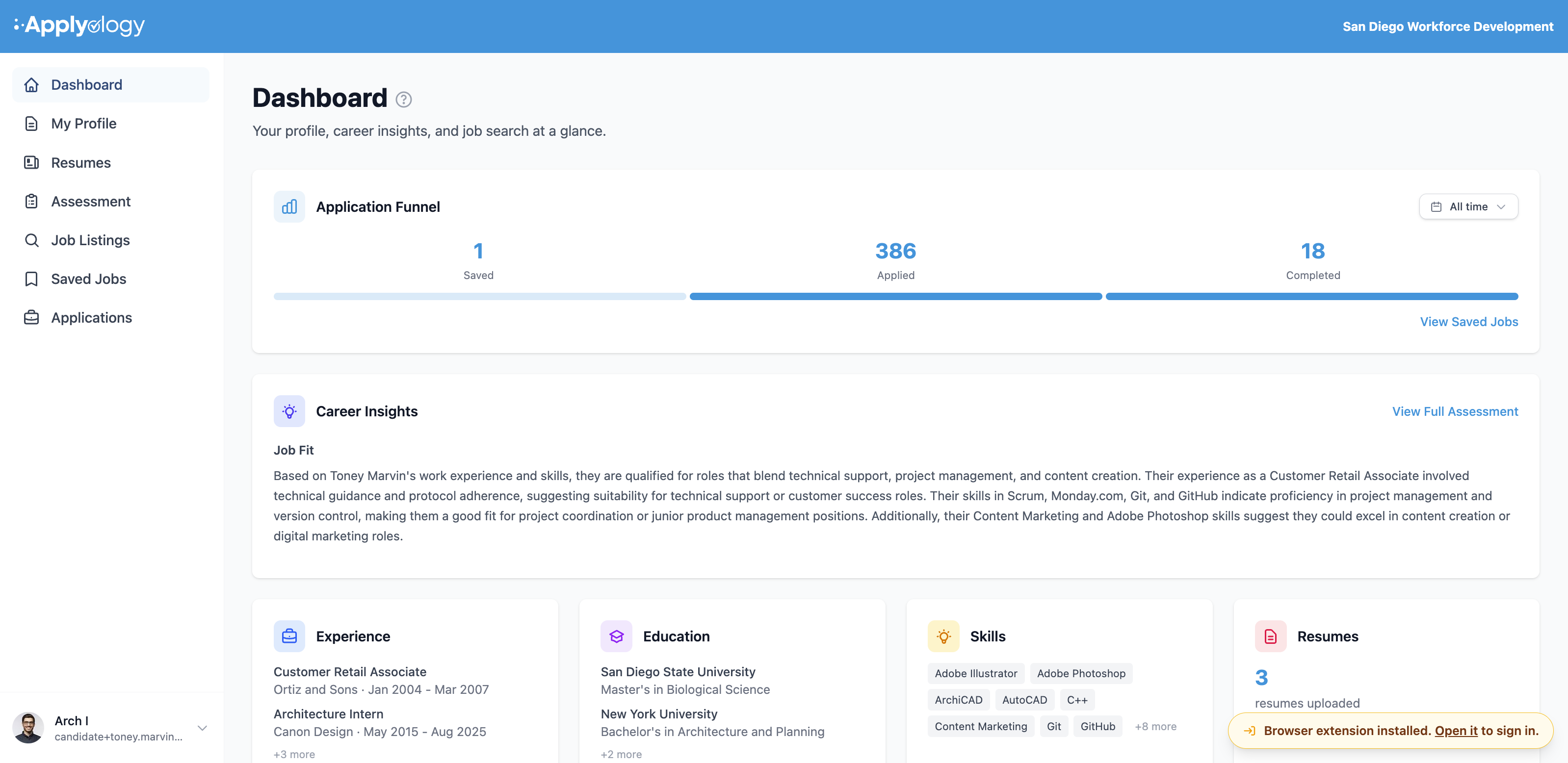
The Dashboard page pulls the most important things into one view.
Complete your profile
Until every section is filled in, a Complete your profile card shows your progress - "A complete profile helps us support your job search and autofill applications faster." A progress ring shows how many of your profile sections are done, and clickable chips point you at whatever's still missing (resume, name, contact info, work experience, education, skills, professional summary, personal links).
Review prompts
When there are proposed changes to your profile, a banner appears at the top:
- Profile Changes Pending Your Review - your organization proposed changes to your profile. Click Review Now to accept or reject them.
- Resume Profile Updates Ready for Review - an uploaded resume produced suggested profile changes. Click Review Now to review them.
See Profile Change Requests for how reviewing works.
Job Search Overview
A funnel showing your saved jobs moving through the pipeline - Saved → Applied → Completed. The full breakdown lives on the Assessment page.
Career Insights
A preview of your career analysis, with a View Full Assessment link. Once you've added work experience, skills, or saved a few jobs, Applyology analyzes your profile and highlights your Job Fit and Skills to Develop. Until then you'll see a prompt to add experience or skills.
Quick actions
Four cards - Experience, Education, Skills, and Resumes - give a quick preview of what you've added and a one-click way to add more when a section is empty.